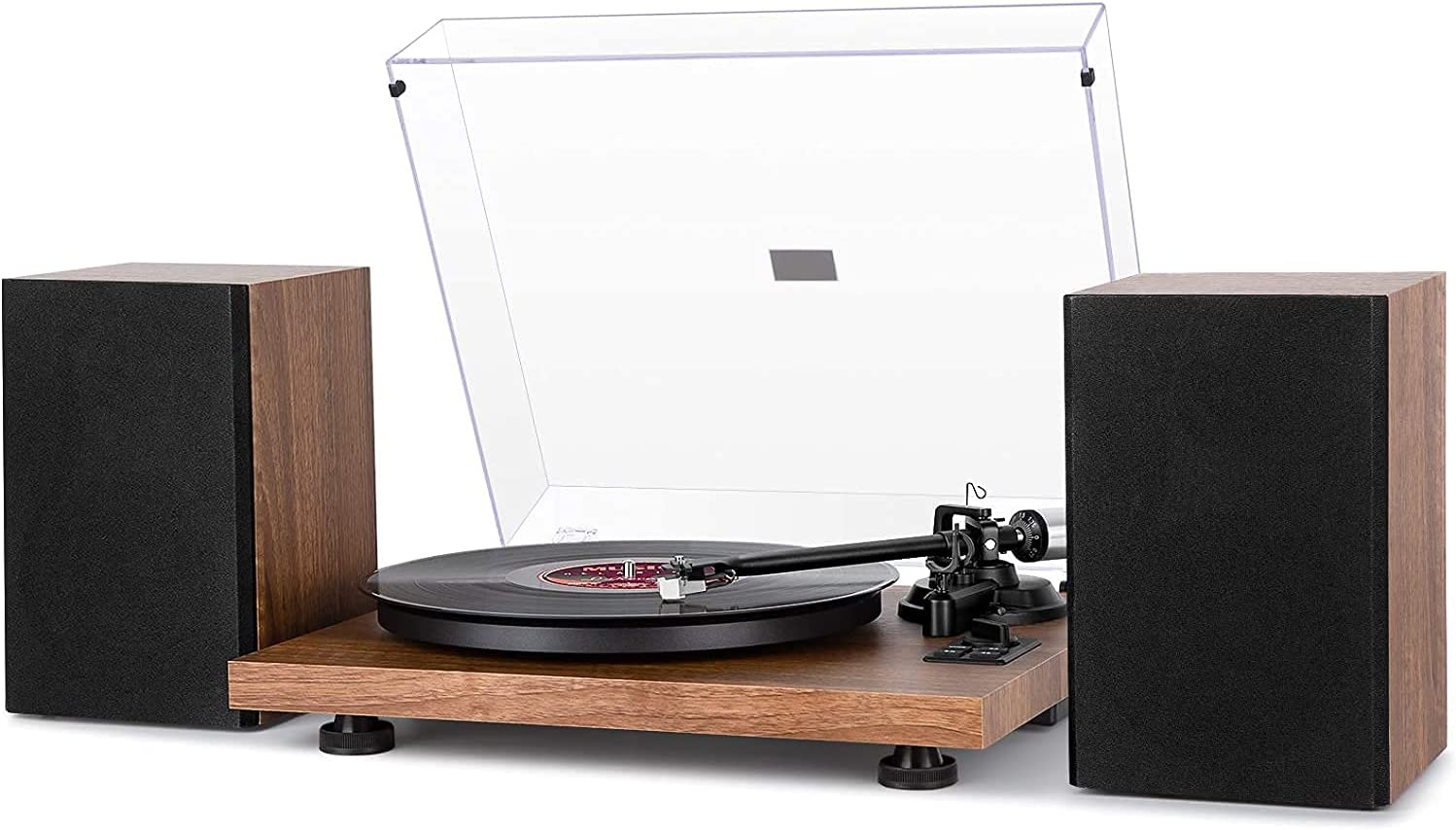
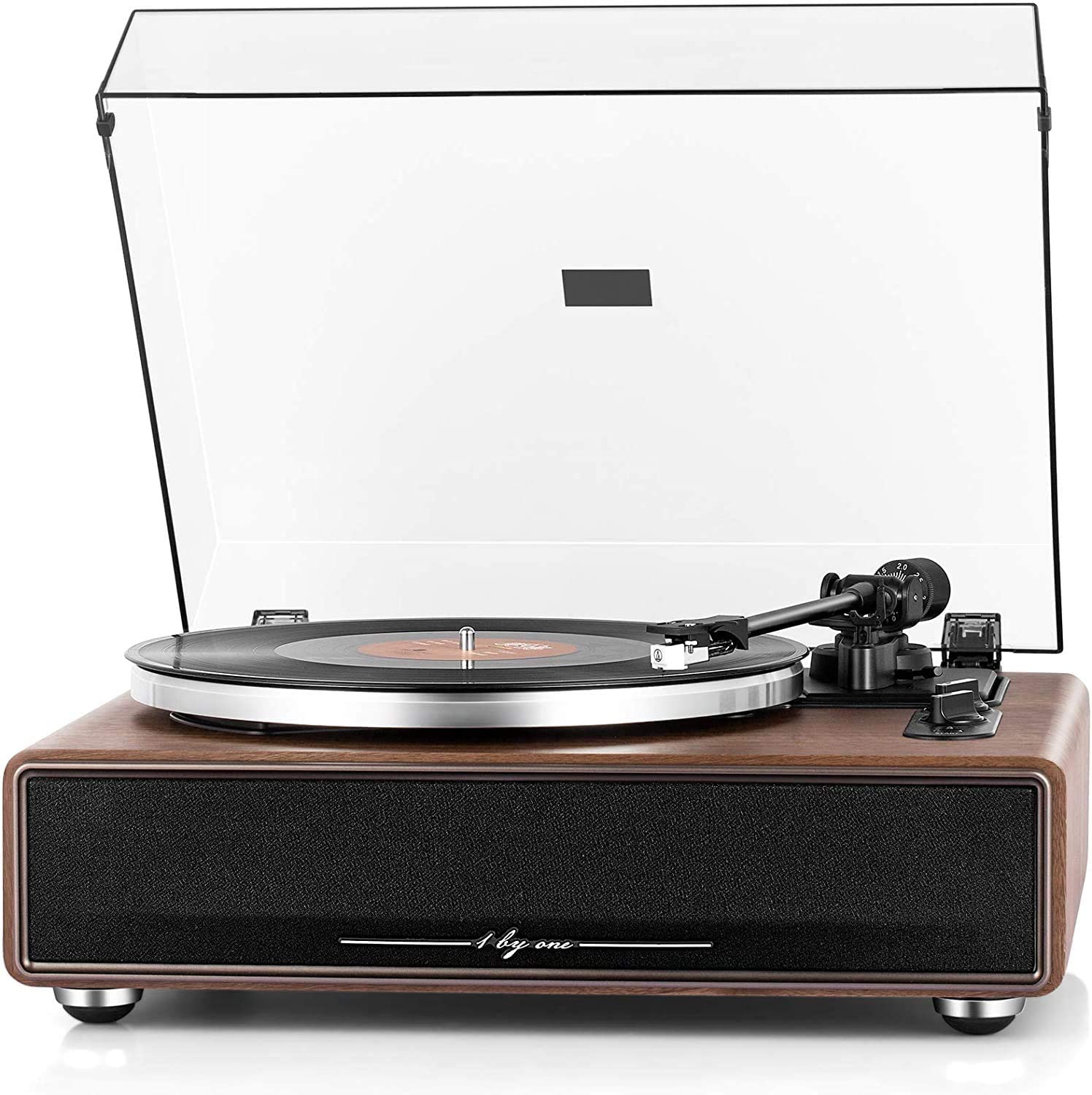
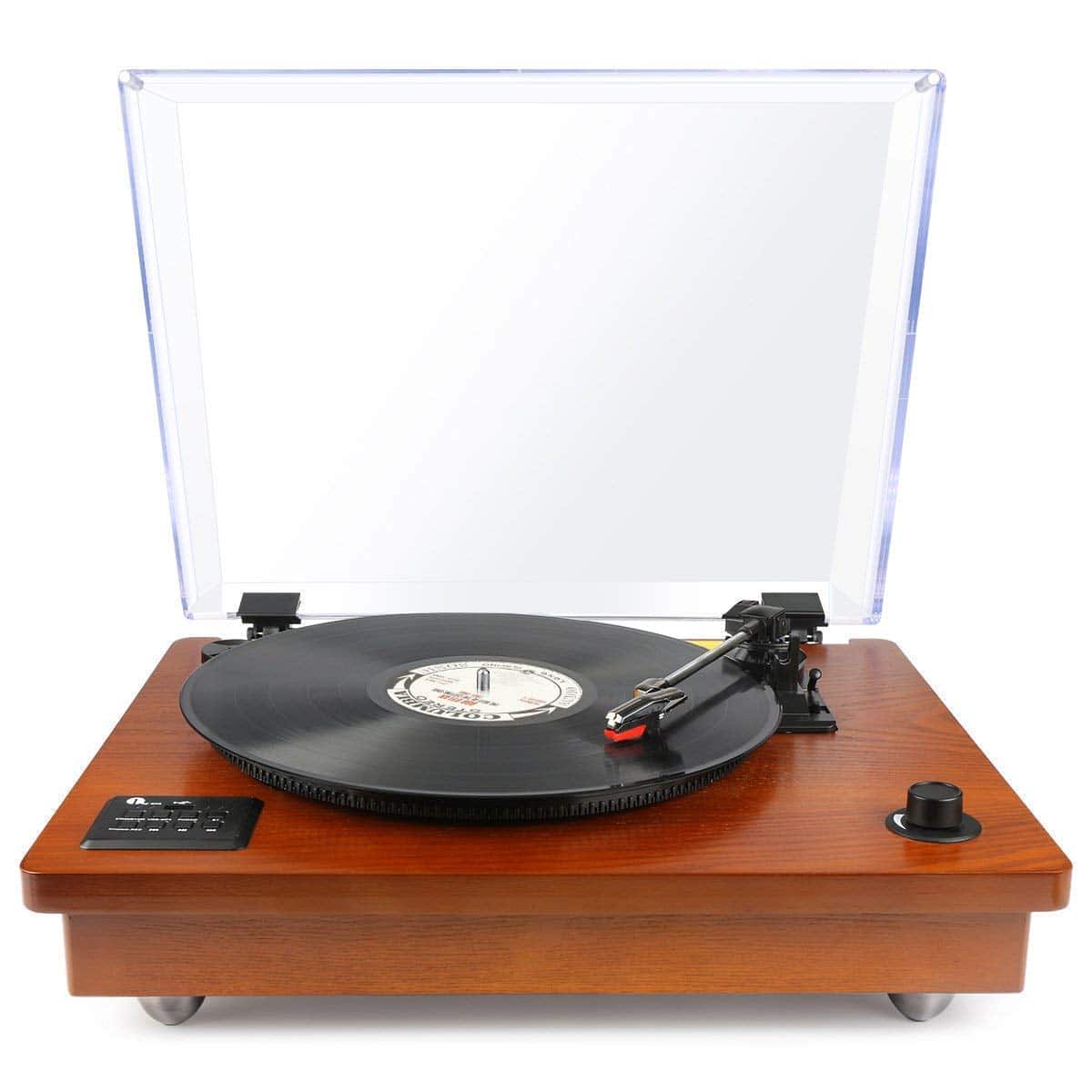
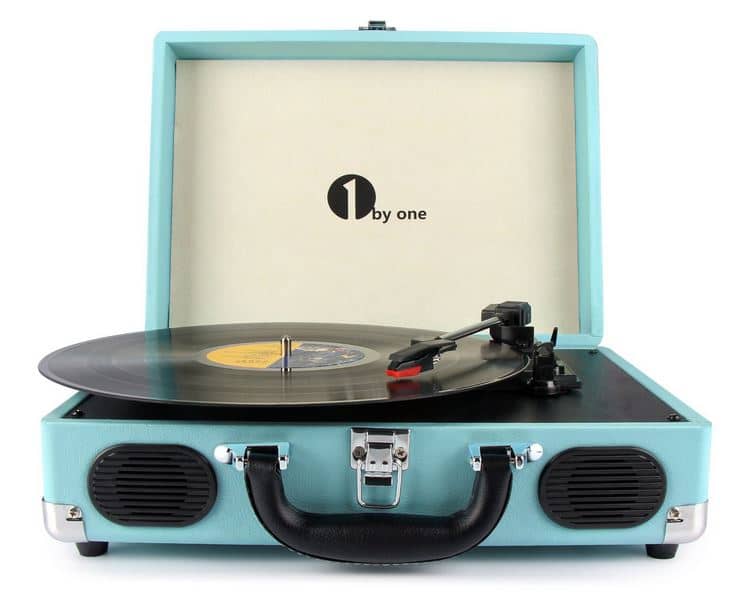
Watch the guide video
Quick answer
To connect a turntable to powered speakers, the speakers must receive a line-level signal. That means using a turntable with a built-in phono preamp switched to LINE, or adding a separate phono preamp between the turntable and the speakers.
Connect the turntable or phono preamp to the powered speakers using the correct cable, usually RCA to RCA or RCA to 3.5 mm. Set the speaker input correctly, start with the volume low, then play a record and raise the level gradually.
Key Takeaways
- Powered speakers contain their own amplifier, so you do not need a separate stereo amp.
- Most powered speakers still need a line-level signal, not a raw phono signal from a cartridge.
- A turntable marked PHONO needs a phono preamp before powered speakers.
- A turntable marked LINE can usually connect directly to powered speakers.
- Grounding matters only with some wired phono setups, but it is a common cause of hum.
- Good placement reduces vibration, feedback and one-sided sound.
The most important decision is whether your turntable output is PHONO or LINE. If you get this wrong, the system may be extremely quiet, boomy, distorted or noisy.
Do not keep increasing volume to compensate for a wrong connection. Fix the signal path first, then set the listening level.
What You Need Before Starting
Gather everything before you power the system on. This avoids repeated plugging and unplugging while the speakers are live.
You may need:
- A turntable with cartridge and stylus fitted.
- A pair of powered speakers, sometimes called active speakers.
- The speaker power supply and speaker-to-speaker cable, if your speakers use one powered main speaker and one passive partner.
- RCA audio cable, usually red and white.
- RCA to 3.5 mm cable, if the speaker input is a small AUX socket.
- A separate phono preamp, if the turntable has no built-in preamp and the speakers have no PHONO input.
- A ground wire, if your turntable or phono preamp provides a ground terminal.
- A spirit level or phone level app for basic levelling.
Powered speaker examples in this category include models such as the Edifier R1280DB Powered Bluetooth Bookshelf Speakers, House of Marley Get Together Duo Bookshelf Speakers, and Sanyun SW206 Active Dual-Mode Bookshelf Speakers. The exact sockets vary, so check the labels on your own speakers rather than assuming every powered speaker works the same way.
If your speakers are traditional passive speakers, such as many hi-fi bookshelf speakers, they cannot be connected directly to a turntable. Passive speakers need an amplifier between the source and the speakers.
Understanding the Connections
A record cartridge produces a very small signal. This is called a phono-level signal, and it is much quieter than the signal from a phone, streamer, CD player or TV.
A phono preamp does two jobs. It makes the signal louder, and it applies the correct tonal correction so records do not sound thin, harsh or bass-heavy.
Line level is the normal signal level expected by most powered speakers. Speaker inputs labelled AUX, LINE, RCA, Audio In or Optical are not usually phono inputs.
Look for these labels on the turntable:
- PHONO means the signal still needs a phono preamp.
- LINE means the built-in phono preamp is active and can feed powered speakers.
- PHONO/LINE switch means you must choose the correct setting for your system.
- USB is for computer connection and usually not the main route to powered speakers.
- Bluetooth sends audio wirelessly, but may add delay and compression.
Look for these labels on the speakers:
- LINE IN means use a line-level output from the turntable or preamp.
- AUX means use a line-level signal, often through a 3.5 mm socket.
- RCA IN usually means line-level unless it is clearly labelled PHONO.
- PHONO means the speaker or system has a phono preamp built in.
- GND or Ground means it can accept a turntable ground wire.
Choose the Right Signal Path
Before connecting anything, choose one of the three normal wired routes. This is the step that decides whether your system will work properly.
Option 1: Turntable with built-in preamp to powered speakers.
Set the turntable to LINE, then connect its red and white RCA outputs to a line input on the speakers. This is the simplest route for many modern turntables, including some USB and Bluetooth models.
Option 2: Turntable without built-in preamp to separate phono preamp to powered speakers.
Connect the turntable to the phono preamp input, connect the preamp output to the powered speakers, and attach the ground wire if provided. This route is common with more traditional turntables.
Option 3: Turntable to powered speakers with a built-in PHONO input.
Connect the turntable to the PHONO input and set the turntable output to PHONO if it has a switch. Use the speaker or system ground terminal if there is one.
Placement and Cable Routing
Put the turntable on a stable, level surface. A wobbly table, thin shelf or shared surface with the speakers can cause skipping, bass feedback and blurred sound.
Keep the speakers on separate stands or a different part of the furniture if possible. If they must sit on the same unit, use isolation pads and keep them away from the turntable.
Place the speakers so the left speaker is on your left as you face the system, and the right speaker is on your right. The red RCA plug usually carries the right channel, and the white or black plug carries the left channel.
Start with the speakers roughly at ear height and angled slightly towards your listening position. Leave some space behind rear-ported speakers if the bass sounds thick or boomy.
Cable routing also matters. Keep signal cables away from mains power bricks, extension leads and wireless routers where practical.
Step-by-Step Setup
- Unpack the turntable and speakers carefully.
Check that the platter, mat, belt if supplied separately, counterweight, headshell, stylus guard, power supplies and cables are present. Do not throw away packaging until the system is working.
- Place the turntable on a level, solid surface.
Fit the platter, belt and mat according to the turntable instructions. The platter should sit flat and rotate freely by hand when the power is off.
- Place the powered speakers.
Set the left and right speakers in their approximate listening positions. If one speaker contains the amplifier, connect the speaker-to-speaker cable exactly as the speaker manual states.
- Make sure everything is switched off.
Turn the speaker volume down before connecting cables. This protects your ears and avoids loud pops through the speakers.
- Set the turntable output correctly.
If the turntable is connecting directly to powered speakers, set it to LINE. If it is going into a separate phono preamp or a speaker input labelled PHONO, set it to PHONO.
- Connect the audio cable.
Plug red into right and white into left. Push the plugs in firmly, but do not force them if the sockets feel tight.
- Add the phono preamp if needed.
If your turntable only has PHONO output and your speakers only have AUX, LINE or RCA line input, place a phono preamp between them. The chain should be turntable to phono preamp to powered speakers.
- Connect the ground wire where relevant.
If the turntable and phono preamp or speaker both have ground terminals, connect the ground wire to both. You should feel the small screw or post clamp the bare end securely.
- Select the correct speaker input.
Use the speaker remote, rear switch or front control to select RCA, LINE, AUX or the input you used. You should not expect sound if the speakers are still set to Bluetooth or optical.
- Power on in a safe order.
Switch on the turntable and phono preamp first, then the powered speakers. Keep the volume low until a record is playing cleanly.
- Play a clean record.
Remove the stylus guard, cue the tonearm down gently, and raise the speaker volume slowly. You should hear music from both speakers without heavy hum, buzzing or obvious distortion.
- Stop and recheck if anything sounds wrong.
If the sound is extremely quiet, the speakers are probably receiving phono level instead of line level. If the sound is loud, overloaded and distorted, you may be feeding a phono input with a line-level signal.
Initial Checks and Adjustments
Once sound is coming through, do not assume the job is finished. A few basic checks can prevent mistracking, channel imbalance and unnecessary record wear.
Check that the turntable is level. If the deck leans to one side, the stylus may not sit evenly in the groove.
If your turntable has a counterweight, set the tracking force according to the cartridge maker's recommended range. Tracking force is the downward pressure of the stylus on the record.
Too little tracking force can cause skipping and distortion. Too much can increase stylus and record wear, so do not guess if your turntable offers adjustment.
If your turntable has anti-skate, set it close to the tracking force as a starting point. Anti-skate is a small sideways correction that helps the stylus sit evenly in the groove.
Check the cartridge alignment only if the headshell or cartridge was supplied loose, changed, or visibly crooked. Many beginner automatic turntables arrive with a fixed cartridge arrangement and limited adjustment.
Clean the stylus with a proper stylus brush, brushing from back to front only. Do not brush side to side, and do not use fingers to wipe the tip.
Clean dusty records before judging the setup. Surface dirt can sound like crackle, distortion or mistracking even when the wiring is correct.
Bluetooth and USB Considerations
Many modern turntables include Bluetooth, and many powered speakers can receive Bluetooth. This is convenient, but it changes the setup priorities.
For Bluetooth playback, pair the turntable with the speakers following the pairing instructions for both products. You should hear a confirmation tone or see a steady pairing light when the connection is made.
Bluetooth can be useful where cables are awkward, but it may add a slight delay and can reduce audio quality compared with a good wired connection. It also makes troubleshooting harder because pairing, distance and wireless interference become part of the system.
USB is usually intended for recording records to a computer, not for connecting directly to powered speakers. A USB turntable may still have analogue RCA outputs, and those are normally the sockets to use for speakers.
If you are setting up vinyl for everyday listening, start with a wired connection where possible. Once that works, try Bluetooth as a convenience option rather than as your only reference point.
Common Mistakes
- Plugging PHONO output straight into AUX and then turning the volume very high.
- Leaving the turntable switch on PHONO when connecting directly to powered speakers.
- Feeding a PHONO input from a turntable set to LINE.
- Forgetting to select the correct input on the speakers.
- Leaving the stylus guard on and wondering why there is no sound.
- Placing speakers on the same light surface as the turntable.
- Swapping left and right RCA plugs.
- Ignoring the ground wire when a phono preamp provides a ground terminal.
A very quiet, thin sound usually points to missing phono amplification. A loud, thick or distorted sound can mean the signal is being amplified twice.
Hum is often a grounding or cable-routing issue. Buzzing that changes when you touch the tonearm or cable can also point towards grounding.
Skipping is not normally caused by the speakers or cable. It is more often due to turntable levelling, tracking force, stylus condition, record damage or vibration from the speakers.
How to Confirm Everything Is Working
Use a familiar, clean record for your final check. Choose something with a steady vocal, centred bass and no known damage.
You should hear music from both speakers at normal volume with the speaker volume control set sensibly. If the volume must be nearly maximum for normal listening, the signal path is likely wrong.
The centre image should sit roughly between the speakers when vocals or drums are mixed centrally. If everything leans to one side, check the balance control if available, then check the left and right plugs.
The sound should be clear rather than crunchy or strained. Distortion near the end of a side can be made worse by worn records, a dirty stylus, poor alignment or incorrect tracking force.
A little surface noise is normal with vinyl, especially on older records. Constant loud hum, buzz or crackle is not something you should simply accept.
Try these quick confirmation checks:
- Lift the tonearm using the cueing lever and confirm the music stops cleanly.
- Switch the speaker input away and back again to confirm you know which input is active.
- Gently reduce and raise volume to check both speakers respond normally.
- Play the first track and a later inner track to check for obvious mistracking.
- Stand near the turntable while music plays and check that footfalls do not make it skip.
If these checks pass, your basic setup is working. You can then fine-tune speaker position and turntable isolation for better sound.
Safe Troubleshooting
Start troubleshooting with volume low. Sudden cable changes at high volume can produce loud pops through powered speakers.
If there is no sound:
- Check that the speakers are powered on and not muted.
- Select the input you actually used.
- Confirm the stylus guard is removed.
- Check that the RCA plugs are fully inserted.
- Confirm the turntable is set to LINE if connected directly to powered speakers.
- Try another line source, such as a phone with a suitable cable, to confirm the speaker input works.
If the sound is very quiet:
- Stop the record and lower the volume.
- Check whether the turntable is set to PHONO.
- Switch to LINE if connecting directly to powered speakers.
- If there is no LINE setting, add a phono preamp.
- Raise the volume again gradually.
If the sound is distorted:
- Lower the volume immediately.
- Check that you are not sending LINE output into a PHONO input.
- Clean the stylus and try a different record.
- Check tracking force if your tonearm allows adjustment.
- Move the speakers further from the turntable if bass notes cause warbling or feedback.
If there is hum or buzz:
- Attach the ground wire between the turntable and phono preamp or PHONO input, if both have terminals.
- Keep audio cables away from mains cables and power supplies.
- Try a different mains socket for the speakers if safe and practical.
- Make sure RCA plugs are tight and not half-inserted.
- Remove nearby phone chargers or noisy power adapters as a test.
If a cable, plug, socket or power supply appears damaged, stop using it. Do not attempt internal electrical repairs on powered speakers or mains-powered equipment.
Frequently asked questions
Can I connect a turntable directly to powered speakers?
Yes, if the speakers have a line input and the turntable can output line level. Set the turntable to LINE if it has a PHONO/LINE switch.
If the turntable only outputs PHONO and the speakers do not have a PHONO input, you need a separate phono preamp between them.
Do powered speakers have a phono preamp built in?
Some do, but many do not. A powered speaker has an amplifier built in, but that does not automatically mean it has the special phono stage needed for a cartridge.
Look for an input clearly labelled PHONO. If the input is labelled AUX, LINE or RCA without PHONO, assume it needs a line-level signal.
What cable do I need for a turntable and powered speakers?
Most wired setups use red and white RCA cables. If your powered speakers have a 3.5 mm AUX input, use an RCA to 3.5 mm stereo cable from the turntable or phono preamp.
Use reasonably well-made, undamaged cables, but do not assume expensive cables will fix an incorrect PHONO versus LINE connection.
Why is my turntable so quiet through powered speakers?
The most common reason is that a phono-level signal is going into a line input. In plain terms, the speakers are receiving a signal that has not been boosted enough.
Set the turntable to LINE if possible. If there is no line output, add a phono preamp.
Why do I hear a loud hum when the record plays?
Hum often comes from grounding, cable routing or a loose RCA connection. If your turntable and phono preamp have ground terminals, connect the ground wire securely.
Also move audio leads away from power supplies, extension blocks and chargers. If the hum changes when you touch the tonearm, grounding should be one of your first checks.
Is Bluetooth good enough for connecting a turntable to powered speakers?
Bluetooth is convenient and can work well for casual listening. It is useful where a cable run would be messy or impractical.
A wired connection is usually the better starting point for setup and troubleshooting. It avoids pairing problems and removes wireless delay or compression from the equation.
Can I use passive speakers instead of powered speakers?
Not directly. Passive speakers need an amplifier to drive them, while powered speakers have amplification built in.
If you want to use passive speakers, your chain will usually be turntable, phono preamp if needed, amplifier, then speakers.
Do I need to adjust tracking force on every turntable?
No. Some entry-level and automatic turntables have preset tracking and limited user adjustment.
If your tonearm has a counterweight and tracking scale, set it according to the cartridge recommendation. Do not guess, because too little or too much force can cause problems.
Final recommendation
The best route for most listeners is simple: get the turntable producing a proper line-level signal, feed that into the powered speakers, then check placement and tracking before judging the sound.
If your turntable has a built-in preamp, start with its LINE output into the speakers. If it does not, use a separate phono preamp rather than forcing a PHONO output into an AUX socket.
Once the system is working, spend time on the basics: level the turntable, keep speakers away from the deck, clean the stylus and use clean records. These practical steps usually make a bigger difference than swapping accessories too early.
If you still have hum, distortion or skipping after the checks above, isolate one part at a time. Confirm the speaker input with another source, confirm the turntable settings, then check the phono preamp and cables before considering a replacement.